Facebook Video Not Downloading? Every Error Explained and Fixed

On this page (11 sections)
- Why Is My Facebook Video Not Downloading?
- Private Videos and Friends-Only Posts
- Videos in Private Groups
- The Link Is for a Photo or the Wrong Post
- Deleted or Region-Locked Videos
- Live Videos
- “Busy” and “Couldn’t Reach Facebook” Messages
- The Video Downloaded but Won’t Play or Has no Sound
- Checklist Before You Try Again
- Who Makes GrabThatVideo?
- Still Stuck?
A Facebook video not downloading usually has one of six causes: the video is private, it’s in a closed group, it was shared with Friends only, it was deleted, it’s still live, or the link points to a post without a video. The error message you see tells you which one it is, and most have a quick fix.
This GrabThatVideo guide explains every message, why it appears and what to do next.
Quick answer: Open the link in a private browser window without logging in to Facebook. If you can’t watch the video there, it’s private, Friends-only or in a closed group, and no web downloader can save it. If it plays, copy the link again from Share → Copy link and paste it into GrabThatVideo’s Facebook video downloader.
Why Is My Facebook Video Not Downloading?
Web downloaders don’t log in to your Facebook account, so they can only see what a logged-out visitor sees. Anything hidden behind a login, a group or a privacy setting is out of reach. The rest of the time, the problem is the link itself.
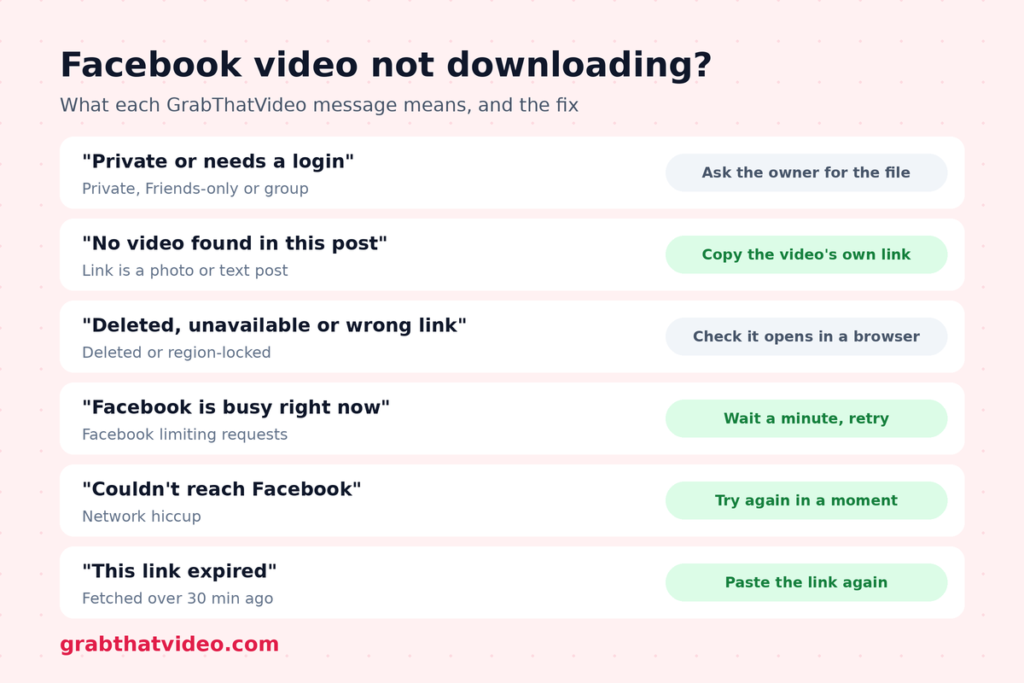
Here is every message GrabThatVideo can show for a Facebook video not downloading, with its cause and fix.
| Message you see | What it means | What to do |
| “This Facebook video is private or needs a login” | Private profile, closed group or Friends-only post | Ask the owner to share it publicly, or ask them for the file |
| “No video found in this Facebook post” | The link is for a photo or text post | Open the video itself, then copy its link |
| “This Facebook post was deleted, is unavailable in our region, or the link is wrong” | Deleted post, region block or broken link | Check the link opens in a browser |
| “Facebook is busy right now” | Facebook is limiting requests | Wait a minute and try again |
| “We couldn’t reach Facebook just now” | A network hiccup | Try again in a moment |
| “This link expired. Please paste it again.” | You waited over 30 minutes after fetching | Paste the link again |
| “This video is too large to process” | The file is very large | Try a lower quality, or a shorter video |
Private Videos and Friends-Only Posts
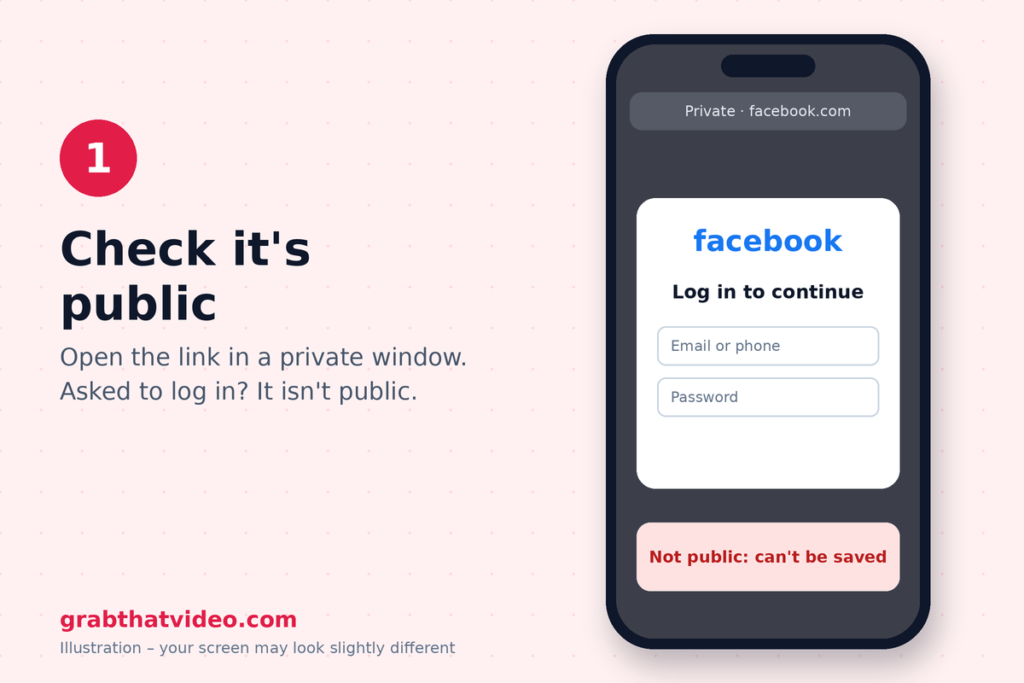
This is the most common reason for a Facebook video not downloading. When someone posts a video with the audience set to Friends, Only me or a custom list, Facebook shows it only to logged-in people on that list. A web tool that doesn’t use your Facebook password simply can’t see it.
To check, open the link in a private or incognito window. If Facebook asks you to log in, the video isn’t public.
Videos in Private Groups
Videos inside private groups work the same way. Only group members can see them, so a Facebook video not downloading from a group almost always means the group is private. Public groups work normally.
If you’re a member, the simplest option is to ask the person who posted it to send you the original file.
The Link Is for a Photo or the Wrong Post
Sometimes the link you copied points to a photo, a text post, or a post that only shares someone else’s video. Then GrabThatVideo shows “No video found in this Facebook post”, which is a Facebook video not downloading because there’s no video at that link.
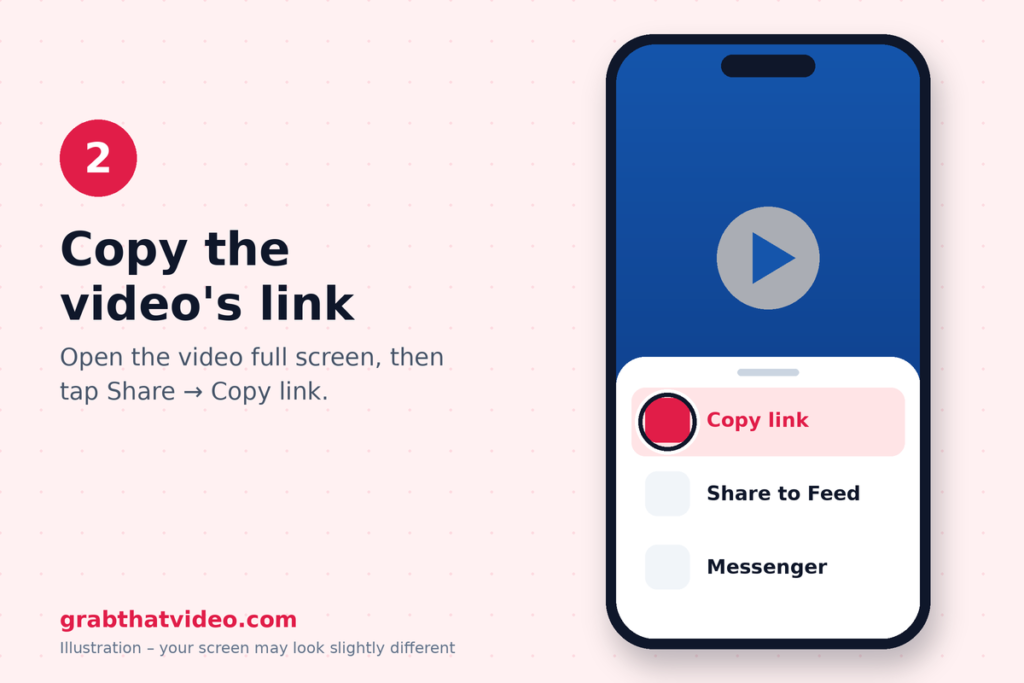
To fix it, open the video itself so it plays full screen, tap Share → Copy link and paste that link. Links that work look like facebook.com/watch/?v=…, facebook.com/reel/…, facebook.com/share/v/… or fb.watch/….
Deleted or Region-Locked Videos
If the owner deleted the video, or Facebook limits it in your country, you’ll see “This Facebook post was deleted, is unavailable in our region, or the link is wrong”. Open the link in your browser. If Facebook says the content isn’t available, the video can’t be saved by anyone, and a Facebook video not downloading in that case isn’t something any tool can fix.
Live Videos
A video that’s still live can’t be downloaded, because it isn’t a finished file yet. A Facebook video not downloading while it’s live will work once the broadcast ends and Facebook publishes the replay, usually a few minutes later.
“Busy” and “Couldn’t Reach Facebook” Messages
These two are temporary, and they’re the easiest Facebook video not downloading cases to fix. Facebook sometimes limits how many requests it accepts from one server, and networks occasionally drop a connection. Wait a minute and paste the link again. GrabThatVideo also limits each visitor to about 15 videos per minute so the service stays fast for everyone, so very quick repeat attempts can trigger “Too many requests”.
The Video Downloaded but Won’t Play or Has no Sound
If the file downloaded but won’t play properly, the problem is different. GrabThatVideo merges Facebook’s separate HD picture and sound into one MP4, so a fresh download usually fixes a silent file from another tool. Our guide to downloading a Facebook video on Android covers where the file goes and how to find it in your Gallery.
Checklist Before You Try Again
When you have a Facebook video not downloading, run through this list:
- Does the video play in a private browser window without logging in?
- Did you copy the link from the video itself, using Share → Copy link?
- Is the video finished, not still live?
- Did you wait a minute if you saw a “busy” message?
If all four are yes and it still fails, the video is probably restricted in a way that isn’t visible. Try another public video to confirm the tool is working.
Who Makes GrabThatVideo?
GrabThatVideo is a free web tool built by Vipul Chaudhary, a brand and growth marketer based in Bangalore, India. It needs no sign-up, keeps no history of the links you paste, and deletes every prepared file from its server 30 minutes after it is created. Its download engine is updated every day, and every platform is tested on real public links every few hours.
Still Stuck?
Most cases of a Facebook video not downloading come down to privacy settings or the wrong link, and a quick private-window check tells you which. For more help with other platforms, see our all-in-one video downloader roundup and the step-by-step guides on the GrabThatVideo blog.
Please only download videos you own or have permission to use, and respect the creators who made them.
Follow GrabThatVideo on Facebook, YouTube and X for new guides and updates.
GrabThatVideo is not affiliated with Facebook or Meta. All trademarks belong to their owners.
Why Is My Facebook Video Not Downloading?
Usually because it’s private, Friends-only or in a private group, which web tools can’t see without a login. Check whether it plays in a private browser window.
Can I Download a Video from a Private Facebook Group?
No. Only group members can see those videos, so no web downloader can save them. Ask the person who posted it for the file.
Why Does It Say “no Video Found”?
The link points to a photo or text post, not the video. Open the video itself and copy its link from Share → Copy link.
Can I Download a Facebook Live Video?
Not while it’s live. Once the broadcast ends and Facebook publishes the replay, paste the link again.
Do fb.watch links Watch
Yes. Paste the fb.watch link as it is, and GrabThatVideo follows it to the full video.
Updated November 2026 · Written by the GrabThatVideo team
How this article was checked. Features of other tools are taken from their own websites on the date shown above. GrabThatVideo is tested on real public links for Pinterest, Instagram, Facebook, X and LinkedIn. Nothing here is sponsored. Spotted something out of date? Tell us and we will fix it.