All in One Video Downloader | 4 in 1 Free Tool
All in One Video Downloader (2026): 4 Free Tools Compared
An all in one video downloader is a website where you paste a link from any of several social platforms and get back a video file, without installing anything. If you save videos from Pinterest, Instagram, Facebook, and X (Twitter), one tool for all four saves you from keeping four bookmarks.
We make GrabThatVideo, so read this as a comparison written by one of the tools on the list. To keep it fair, we took the other tools’ features from their own websites in October 2026 and included a section on when each one is the better choice.
Quick answer: For Pinterest, Instagram, Facebook, X and LinkedIn in one box, GrabThatVideo is a free all in one video downloader with no ads, no sign-up and HD MP4 files with sound. SnapSave is the better choice if you also need TikTok or Threads. SaveFrom.net suits people who need long-form video sites, and ExpertsPHP suits people who want a large catalogue of separate tools.
What Makes a Good All in One Video Downloader?
A good all in one video downloader does five things well:
Clear privacy. It says what happens to your links and files.
One box for every platform. You paste any supported link and the tool detects where it came from, so you don’t have to find the right page first.
HD with sound. Instagram and Facebook often store high-quality video and audio as separate files. A good downloader merges them into one MP4, so the HD file isn’t silent.
A choice of quality. You can pick 1080p for editing or a smaller file to save mobile data.
Nothing to install. It works in Safari, Chrome, or any browser, on phone and desktop.
All in one video downloader comparison at a glance
| Feature | GrabThatVideo | SnapSave | SaveFrom.net | ExpertsPHP |
|---|---|---|---|---|
| Platforms | Pinterest, Instagram, Facebook, X, LinkedIn | Facebook, Instagram, TikTok, Twitter, Threads | Many video sites, including long-form | Pinterest plus many separate tools |
| One box for all platforms | Yes, detects the platform automatically | No, a separate page for each platform | Yes, on the main page | No, you browse a long list |
| Yes, including pin.it links | Not in its main tool list | Varies | Yes, its featured tool | |
| Yes | No | Not stated | Not stated | |
| TikTok | No | Yes | Varies | Separate tools |
| HD with sound | Merged into one MP4 for every quality | Merged on render for high resolutions | Depends on site and format | Varies by tool |
| Ads and app prompts | None at the time of writing | Says it shows some ads; promotes the SnapX app | Optional browser helper | Varies by tool |
| iPhone saving | Directly in Safari | Via the Documents by Readdle app | In the browser | Varies by tool |
| Sign-up | None | None | None | None |
The 4 Tools in Detail
1. GrabThatVideo: All in One Video Downloader for Pinterest, Instagram, Facebook, X and LinkedIn
GrabThatVideo is a free web tool built only for public social media videos. You paste a link from any of its five platforms into one box, GrabThatVideo detects the platform, and it lists every resolution available, for example 1080p, 720p and 480p.
GrabThatVideo merges video and audio on its own server, so every quality downloads as one MP4 with sound that plays on iPhone, Android, Windows and Mac. Carousel posts with several videos show each video separately, so you can save just the one you need.
GrabThatVideo needs no sign-up, Keeps no history of the links you paste, and deletes every prepared file from its server 30 minutes after it is created. Each visitor can fetch about 15 videos per minute.
Limits: GrabThatVideo does not download YouTube, TikTok, Instagram Stories or anything from private accounts.
2. SnapSave: best if you also need TikTok or Threads
SnapSave’s main site focuses on Facebook and links to separate downloader pages for Instagram, TikTok, Twitter and Threads. According to its homepage, it offers Facebook downloads up to 2K and 4K when available, and merges video and audio for higher resolutions, which can take time to render.
SnapSave says it shows some ads to fund development and promotes its SnapX Android app. For iPhone, its instructions use the Documents by Readdle app rather than Safari. It does not list Pinterest or LinkedIn among its main tools.
3. SaveFrom.net: best for long-form video sites
SaveFrom.net is one of the oldest online video downloaders and has supported a long list of video websites over the years. It became known for an optional browser helper that adds download buttons to video pages.
SaveFrom.net may suit you if you mostly save from long-form video sites rather than social posts. How well it handles sound in HD depends on the site and the format, and its availability has changed over time in some regions.
4. ExpertsPHP: best if you want a big catalogue of tools
ExpertsPHP combines programming tutorials with a large collection of free online tools. Its homepage advertises “750+” downloaders, with a Pinterest video downloader featured first, plus calculators and text utilities.
ExpertsPHP is useful if you want many different utilities in one place. For video, though, you usually have to find the right tool in the list for each platform, and features vary from tool to tool.
Single-Platform Tools: When One Site Is Enough
If you only ever download from one platform, a specialist tool may be all you need. SnapInsta, for example, covers Instagram only but also saves public Stories and photos. fdown.net and Getmyfb focus on Facebook, and PinterestVideoDownloader focuses on Pinterest.
The trade-off is that you need a different bookmark for each platform. An all in one video downloader covers them all from one page.
Which All in One Video Downloader Should You Choose?
- You save from Pinterest, Instagram, Facebook, X or LinkedIn: choose GrabThatVideo for one box, no ads and HD with sound.
- TikTok or Threads matter to you: choose SnapSave, because GrabThatVideo doesn’t support them.
- You mostly save from long-form video sites: try SaveFrom.net.
- You want calculators and text tools as well as downloaders: try ExpertsPHP.
How to Use an All in One Video Downloader (3 Steps)
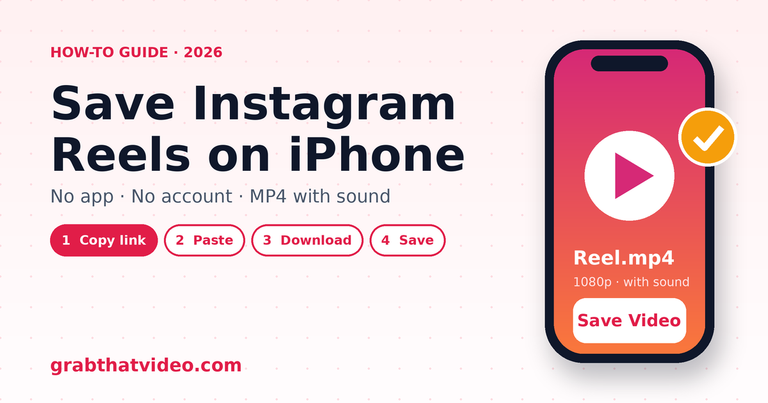
- Open the post in its app and tap Share → Copy link.
- Paste the link into the box on GrabThatVideo’s free video downloader. The platform is detected automatically.
- Choose a quality and save the MP4. On iPhone, Safari saves it to Files → Downloads. Tap the video, then Share → Save Video to move it to Photos.
If a download fails, GrabThatVideo tells you why: a private post, a photo instead of a video, or a deleted post.
Who makes GrabThatVideo?
GrabThatVideo was created by Vipul Chaudhary (@csahab), a brand and growth marketer based in Bengaluru, India, who wanted a video downloader without clutter or pop-ups. Its download engine is updated every day, and every platform is tested on real public links every few hours.
What Is the Best All in One Video Downloader?
For Pinterest, Instagram, Facebook, X and LinkedIn, GrabThatVideo covers all five in one box, free, with no ads or sign-up. If you need TikTok or Threads, SnapSave covers those.
Is There a Video Downloader That Works for Every Social Media Site?
No single free website reliably supports every platform, because each platform changes how it delivers video. Choose the tool that covers the platforms you actually use.
Do All in One Video Downloaders Keep the Sound in HD?
Not always. Instagram and Facebook often store HD video and audio as separate files. GrabThatVideo merges them into one MP4 for every quality, so HD downloads keep their sound.
Can I Download Videos from Private Accounts?
No. GrabThatVideo, and the other web tools in this comparison, download public posts only. Private accounts, Instagram Stories and closed groups need a login, so they can’t be downloaded.
Is It Legal to Use a Video Downloader?
Downloading your own videos, or videos you have permission to use, is generally fine. Re-uploading someone else’s video without permission can break copyright law and the platform’s terms.
Does GrabThatVideo download YouTube videos?
No. GrabThatVideo does not download YouTube videos, because YouTube’s terms don’t allow it.
Final Verdict
The best all in one video downloader is the one that covers the platforms you use without adding friction. For Pinterest, Instagram, Facebook, X and LinkedIn, GrabThatVideo gives you one box, HD MP4 files with sound, no sign-up and no stored history. If TikTok or Threads matter more to you, SnapSave is the better fit.
Please only download videos you own or have permission to use, and respect the creators who made them.
GrabThatVideo is not affiliated with SnapSave, SaveFrom.net, ExpertsPHP, Pinterest, Instagram, Meta, X Corp or LinkedIn. All trademarks belong to their owners.
How this article was checked. Features of other tools are taken from their own websites on the date shown above. GrabThatVideo is tested on real public links for Pinterest, Instagram, Facebook, X and LinkedIn. Nothing here is sponsored. Spotted something out of date? Tell us and we will fix it.