How to Download Facebook Video on Android (Free, no App)

On this page (10 sections)
- What You Need to Download Facebook Video on Android
- How to Download Facebook Video on Android in 4 Steps
- Where Do Downloaded Facebook Videos Go on Android?
- Does the Downloaded Video Keep Its Sound and Quality?
- Can I download Facebook Reels and fb.watch links?
- What Can’t Be Downloaded?
- Why Not Use Facebook’s Own “save Video” Button?
- Other Ways to Download Facebook Video on Android
- Who makes GrabThatVideo?
- Download Your next Facebook Video
- How Do I Download Facebook Video on Android Without an App?
- Is It Free to Download Facebook Video on Android with GrabThatVideo?
- Why Can’t I Find the Video in My Gallery?
- Can I Download a Video from a Private Facebook Group?
- Does GrabThatVideo work with fb.watch links?
- Is It Legal to Download Facebook Videos?
You can download Facebook video on Android for free, without installing an app. Copy the video’s link in the Facebook app, paste it into a web downloader in Chrome, choose HD or SD, and the MP4 saves to your phone’s Downloads folder with sound. From there it shows up in your Gallery.
This GrabThatVideo guide walks through each step, explains where the file goes on Android, and covers the videos that can’t be saved, such as private group posts.
Quick answer: To download Facebook video on Android, open the video in Facebook, tap Share → Copy link, paste the link into GrabThatVideo’s Facebook video downloader in Chrome, choose HD or SD and tap Download. The MP4 saves to Files → Downloads and appears in your Gallery.
What You Need to Download Facebook Video on Android
To download Facebook video on Android, you need three things, and most phones already have them:
- The Facebook app, or Facebook in a browser, to copy the video’s link.
- Google Chrome or any Android browser. Samsung Internet and Firefox work the same way.
- A public video. Videos from private profiles and closed groups need a login to watch, so no web tool can save them.
You don’t need a Facebook login on the downloader, a paid app, or a computer.
How to Download Facebook Video on Android in 4 Steps
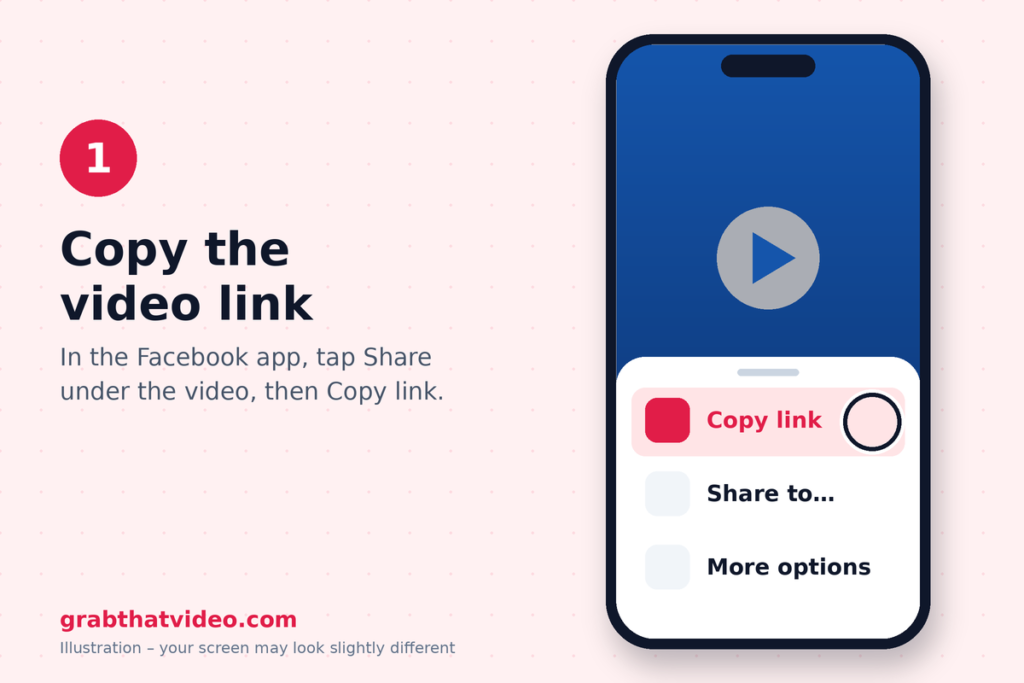
Step 1: Copy the video’s link
Open the video or Reel in the Facebook app. Tap Share, then Copy link. Facebook gives you a link that starts with facebook.com/share/, facebook.com/reel/ or fb.watch/. All three work.
Step 2: Paste the link into GrabThatVideo in Chrome
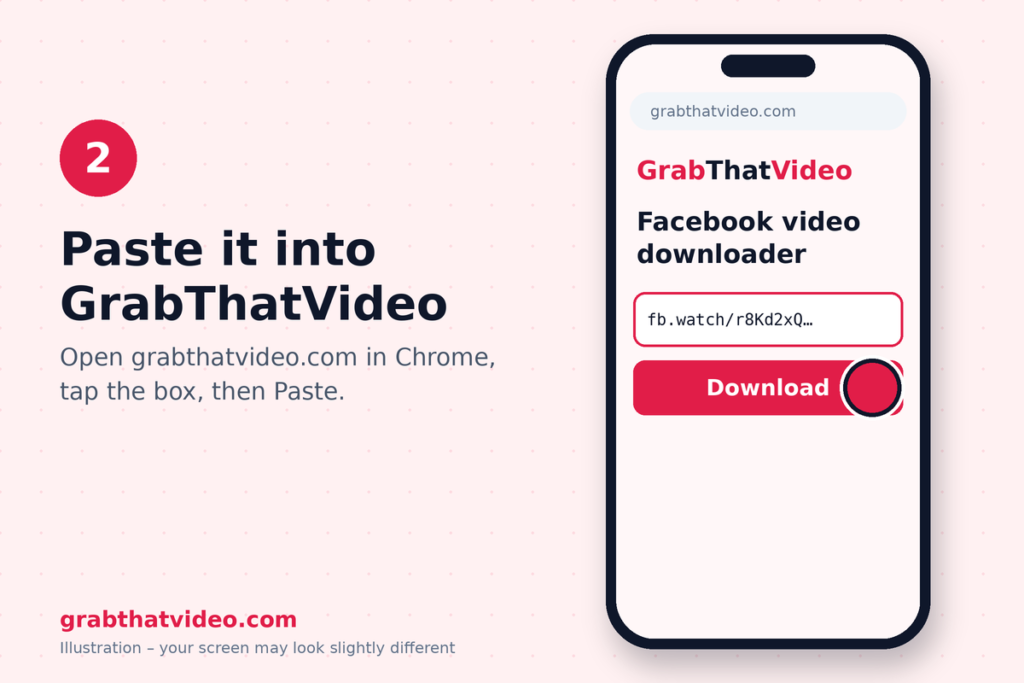
Open Chrome and go to GrabThatVideo’s Facebook video downloader. Tap the box, then tap Paste. GrabThatVideo recognises the Facebook link, including short fb.watch links, and starts fetching the video straight away to download Facebook video on Android
Step 3: Choose HD or SD
Within a few seconds, GrabThatVideo shows the video with one button for each quality Facebook offers, usually HD (720p or 1080p) and SD. Pick HD for the best picture, or SD to save mobile data. Both download as one MP4 with sound.

Step 4: Download and open the video
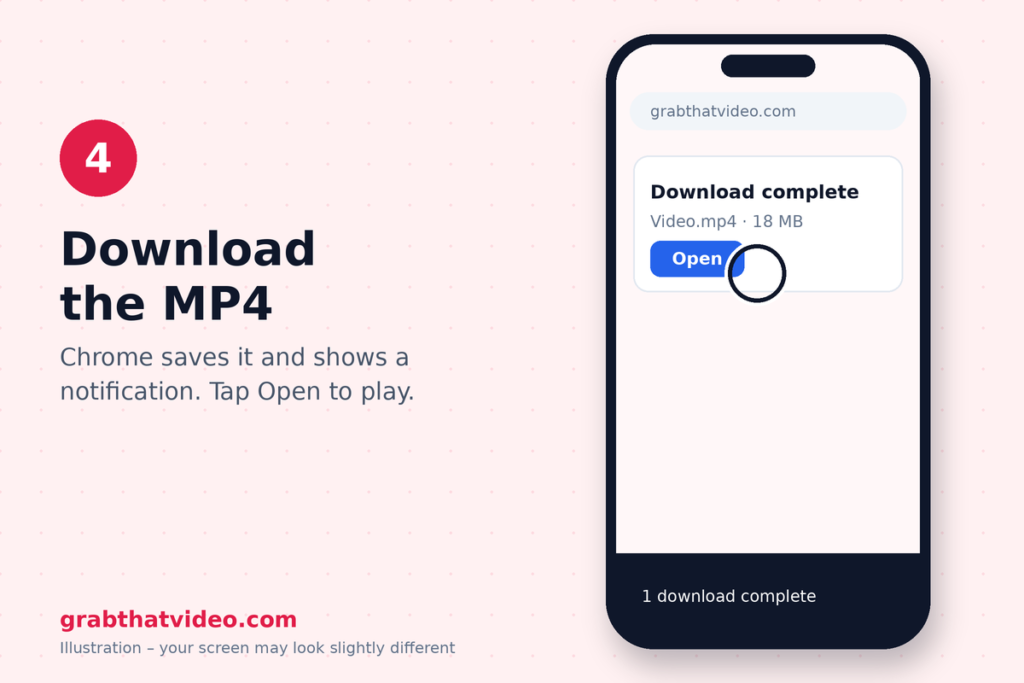
Chrome shows a Download bar at the bottom of the screen, then a notification when the file is ready. Tap Open to play it. If the video starts playing in Chrome instead of downloading, tap the ⋮ menu and choose Download.
Where Do Downloaded Facebook Videos Go on Android?
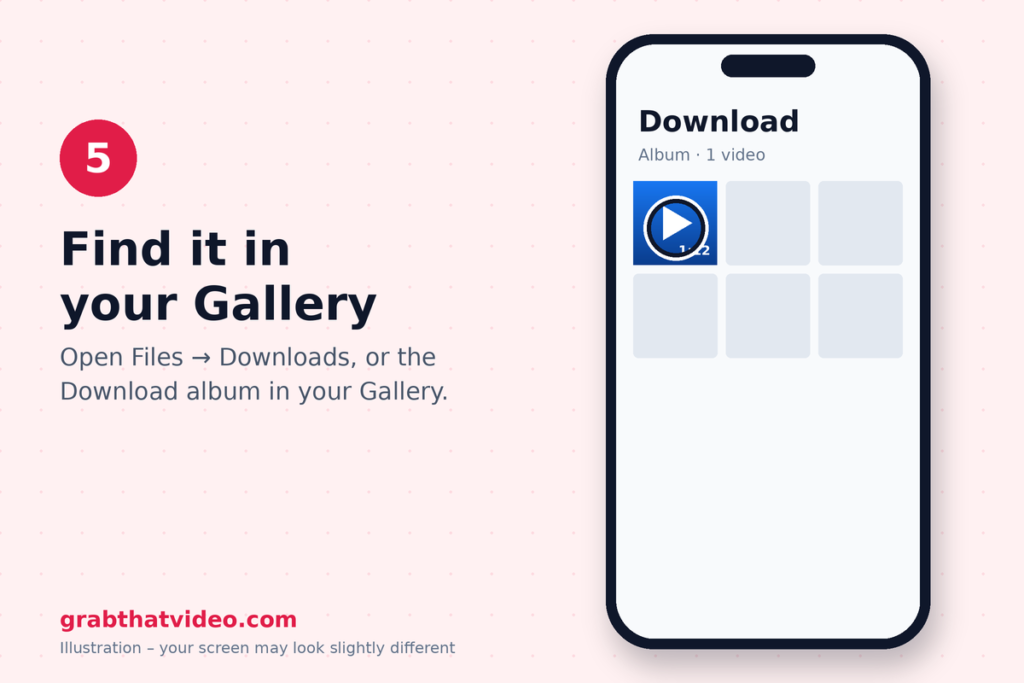
When you download Facebook video on Android with Chrome, the MP4 goes to the Downloads folder. Open Files by Google (or My Files on Samsung) and tap Downloads to find it.
Most Android phones also show the Downloads folder in the Gallery or Google Photos, under an album called “Download”. On some phones the video takes a minute to appear there while the Gallery scans for new files.
Does the Downloaded Video Keep Its Sound and Quality?
Yes. Facebook often stores HD video and its audio as separate files, which is why some tools give you a silent file when you download Facebook video on Android. GrabThatVideo merges them into one MP4 on its own server, so the downloaded video plays with sound in your Gallery, on WhatsApp and on any other device.
The quality matches what Facebook offers for that video. If the uploader only published SD, GrabThatVideo can’t make it HD.
Can I download Facebook Reels and fb.watch links?
Yes. You can download Facebook video on Android from every common Facebook link type, and GrabThatVideo handles them all:
- Videos: facebook.com/watch/?v=… and facebook.com/…/videos/…
- Reels: facebook.com/reel/…
- Share links: facebook.com/share/v/… and facebook.com/share/r/…
- Short links: fb.watch/…
What Can’t Be Downloaded?
GrabThatVideo, like every web tool that doesn’t ask for your Facebook password, works with public videos only. These can’t be downloaded:
- Videos in private or closed groups.
- Videos shared with “Friends” only or a custom audience.
- Facebook Stories and live videos while they are still live.
If you see “This video is private or needs a login”, the video falls into one of these groups. A public video from a Page or a public profile will work.
Why Not Use Facebook’s Own “save Video” Button?
Facebook’s Save video option adds the video to your Saved list inside the Facebook app. It doesn’t put an MP4 on your phone, it needs the internet to play, and it disappears if the uploader deletes the video. A downloader gives you an actual file you can watch offline or keep.
Other Ways to Download Facebook Video on Android
If you’d like to compare tools before you choose, we’ve written honest comparisons of three popular Facebook downloaders:
- The fdown.net alternative comparison covers fdown.net.
- The Getmyfb alternative comparison covers Getmyfb.
- The SnapSave.app alternative comparison covers SnapSave, which also offers 4K for some videos.
If you also save videos from Instagram, Pinterest, X or LinkedIn, our roundup of all-in-one video downloaders shows which tools handle several platforms from one page.
Who makes GrabThatVideo?
GrabThatVideo is a free web tool built by Vipul Chaudhary, a brand and growth marketer based in Bangalore, India. GrabThatVideo needs no sign-up, Keeps no history of the links you paste, and deletes every prepared file from its server 30 minutes after it is created. Its download engine is updated every day, and every platform is tested on real public links every few hours.
Download Your next Facebook Video
Once you’ve done it once, it takes about 10 seconds to download Facebook video on Android: copy the link, paste it into GrabThatVideo, pick HD and save. You’ll find more step-by-step guides on the GrabThatVideo blog.
Please only download videos you own or have permission to use, and respect the creators who made them.
Follow GrabThatVideo on Facebook, YouTube and X for new guides and updates.
GrabThatVideo is not affiliated with Facebook, Meta or Google. All trademarks belong to their owners.
How Do I Download Facebook Video on Android Without an App?
Copy the video’s link from Facebook’s Share menu, paste it into GrabThatVideo in Chrome, choose HD or SD and tap Download. The MP4 saves to your Downloads folder and appears in your Gallery.
Is It Free to Download Facebook Video on Android with GrabThatVideo?
Yes. GrabThatVideo is free, with no sign-up and no app to install. Each visitor can fetch about 15 videos per minute, which keeps the service fast for everyone.
Why Can’t I Find the Video in My Gallery?
Chrome saves downloads to the Downloads folder. Open Files by Google or My Files and tap Downloads. If your Gallery has a “Download” album, the video appears there too, sometimes after a minute.
Can I Download a Video from a Private Facebook Group?
No. Videos in private groups need a login to view, so no web downloader can save them. Only public videos can be downloaded.
Does GrabThatVideo work with fb.watch links?
Yes. Paste the fb.watch link as it is. GrabThatVideo follows it to the full Facebook video automatically.
Is It Legal to Download Facebook Videos?
Saving a video for personal, offline viewing is generally fine, but the video still belongs to its creator. Don’t re-upload someone else’s video or use it commercially without their permission.
How this article was checked. Features of other tools are taken from their own websites on the date shown above. GrabThatVideo is tested on real public links for Pinterest, Instagram, Facebook, X and LinkedIn. Nothing here is sponsored. Spotted something out of date? Tell us and we will fix it.