Downloaded Instagram Video Without Sound? 5 Causes and Fixes

On this page (11 sections)
- Why Is My Downloaded Instagram Video Without Sound?
- Cause 1: The downloader saved only the picture
- Cause 2: Instagram removed the music
- Cause 3: The Reel was posted without sound
- Cause 4: The player or phone is muted
- Cause 5: You saved a silent item from a carousel
- How to Download an Instagram Reel with Sound
- Can I Add the Sound Back to a Silent File?
- Does This Also Happen with Other Platforms?
- Who Makes GrabThatVideo?
- Get Your Reel with Sound
Updated November 2026 · Written by the GrabThatVideo team
If you downloaded an Instagram video without sound, the cause is usually one of five things: the original Reel has no audio, Instagram removed the music for copyright, your downloader saved only the picture, the video is muted in your player, or you picked a silent item from a carousel. Most can be fixed in under a minute.
This GrabThatVideo guide shows how to find which one it is and how to get a copy with sound.
Quick answer: Play the Reel in the Instagram app first. If it has sound there, paste its link into GrabThatVideo’s Instagram Reels downloader and download it again. GrabThatVideo joins the picture and the sound into one MP4, so the new file plays with audio. If the Reel is silent in Instagram too, no downloader can add the sound back.
Why Is My Downloaded Instagram Video Without Sound?
Instagram stores most Reels in two separate parts: one file for the picture and one for the sound. Your phone joins them while you watch. A downloader has to fetch both parts and merge them. Here are the five causes, from most to least common.
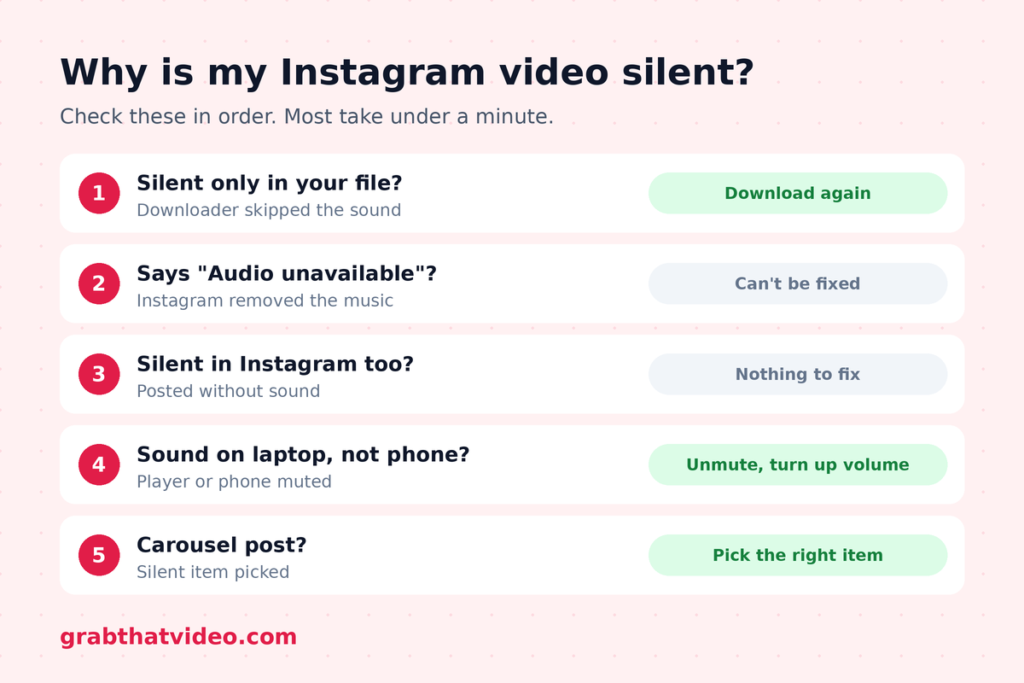
| What you notice | Likely cause | Fix |
| The Reel has sound in Instagram, but your file is silent | The downloader saved only the picture | Download again with a tool that merges audio |
| The Reel shows “Audio unavailable” in Instagram | Instagram removed the music for copyright | None. The sound is gone at the source |
| The Reel is silent in Instagram too | It was posted without sound | None. There is no audio to save |
| The file has sound on your laptop but not your phone | The player or phone is muted | Turn the volume up and unmute the player |
| One video in a carousel has sound, another doesn’t | You saved a different item | Choose the right item in the list |
Cause 1: The downloader saved only the picture
This is the most common reason people end up with an Instagram video without sound. Many free tools grab the HD picture file and skip the separate sound file. The video looks perfect but plays silently.
GrabThatVideo fetches both parts and merges them on its server into one MP4, with H.264 video and AAC audio. That format plays with sound on iPhone, Android, WhatsApp, Windows and Mac.

Cause 2: Instagram removed the music
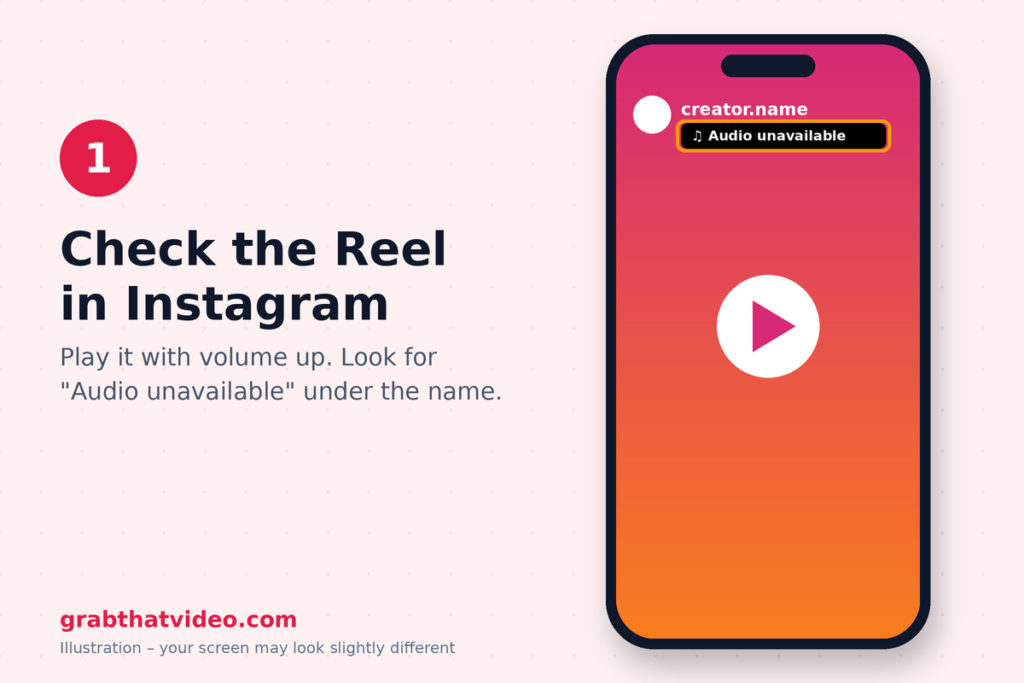
Some Reels use songs that Instagram can’t play in every country, or that the rights holder later blocked. Instagram then mutes the Reel and shows a note such as “Audio unavailable” or “This song is currently unavailable”.
If the Reel is muted on Instagram, every downloader will give you an Instagram video without sound, because the audio no longer exists on Instagram’s servers. Look for the note under the creator’s name before you download.
Cause 3: The Reel was posted without sound
Some creators post silent clips, screen recordings or videos with the audio turned off. Play the Reel in Instagram with your volume up. If you hear nothing there, the original has no audio track, and an Instagram video without sound is an exact copy of it.
Cause 4: The player or phone is muted
Before you blame the downloader for an Instagram video without sound, check the file itself:
- iPhone: in Photos, tap the speaker icon at the top of the video. Also check the volume buttons.
- Android: in Gallery, tap the speaker icon in the corner and turn up the media volume, not just the ringer.
- Windows and Mac: open the file in VLC. Under Tools → Codec information, an audio stream shows as “MPEG AAC”. If it’s there, the sound is in the file and the problem is the volume.

Cause 5: You saved a silent item from a carousel
Posts with several videos are listed as separate items in GrabThatVideo. Each one is its own file, and some may be silent clips. Check that you picked the item you meant to save. It’s an easy way to end up with an Instagram video without sound by mistake.
How to Download an Instagram Reel with Sound
If the Reel has sound in Instagram, these steps replace your Instagram video without sound with a proper copy in about 10 seconds:
- In Instagram, tap the Share icon on the Reel and choose Copy link.
- Open the Instagram Reels downloader on GrabThatVideo and paste the link.
- Choose a quality and tap Download. The MP4 saves with sound.

On iPhone, the file saves to Files → Downloads first. Our guide on how to save Instagram Reels on iPhone shows how to move it to Photos.
Can I Add the Sound Back to a Silent File?
Only if you have the original Reel. An Instagram video without sound has no audio track at all, so no app can recover the sound from it. Download the Reel again from its link instead. If the Reel was deleted or its music was removed, the sound can’t be recovered.
Does This Also Happen with Other Platforms?
Yes. Facebook and X also store HD video and sound separately, so other tools can give you the same silent result there as an Instagram video without sound. GrabThatVideo merges the sound for every platform it supports. To compare tools that handle several platforms, read our all-in-one video downloader roundup.
Who Makes GrabThatVideo?
GrabThatVideo is a free web tool built by Vipul Chaudhary, a brand and growth marketer based in Bangalore, India. It needs no sign-up, keeps no history of the links you paste, and deletes every prepared file from its server 30 minutes after it is created. Its download engine is updated every day, and every platform is tested on real public links every few hours.
Get Your Reel with Sound
An Instagram video without sound almost always has a simple cause. Check the Reel in Instagram, then download it again with a tool that merges the audio. You’ll find more step-by-step help on the GrabThatVideo blog.
Please only download videos you own or have permission to use, and respect the creators who made them.
Follow GrabThatVideo on Facebook, YouTube and X for new guides and updates.
GrabThatVideo is not affiliated with Instagram or Meta. All trademarks belong to their owners.
Why Did I Get an Instagram Video Without Sound?
Usually because the downloader saved only the picture file. Instagram keeps the picture and sound separately. Download the Reel again with GrabThatVideo, which merges both into one MP4.
Why Does a Reel Say “Audio Unavailable”?
Instagram removed the music for copyright or licensing reasons in your region. The audio is gone from Instagram itself, so no downloader can save it.
How Do I Check If My File Has Sound?
Tap the speaker icon in your phone’s Gallery or Photos app and turn up the media volume. On a computer, open the file in VLC and check Tools → Codec information for an audio stream.
Can GrabThatVideo Download Instagram Stories with Music?
GrabThatVideo works with public Reels and video posts. Stories from private accounts can’t be downloaded.
Is It Free?
Yes. GrabThatVideo is free with no sign-up. Each visitor can fetch about 15 videos per minute.
How this article was checked. Features of other tools are taken from their own websites on the date shown above. GrabThatVideo is tested on real public links for Pinterest, Instagram, Facebook, X and LinkedIn. Nothing here is sponsored. Spotted something out of date? Tell us and we will fix it.